

In Taiwan, bicycles are very common tools. If you look closely, you can find that they are all U-bike.This article I will teach you how to rent a U-bike in Taiwan.

U-bike Payment methods
1. A single car rental can only be paid by “credit card”. The usage rate is calculated according to the area where the borrowing station is located (go to check the rates in each area immediately). You can check the transaction information of each car rental on the credit card statement. 2. Single rental (non-member) does not apply to ride allowance and public bicycle injury insurance. 3. Use a credit card to authorize a single rental car, each authorization is 120 hours, and a new authorization is required for more than 120 hours. 4. The authorization fee must be withheld for a single rental: YouBike 1.0 is NT$2,000, and YouBike 2.0 is NT$3,000. If the vehicle is rented and returned normally, after the authorization expires, the system will automatically cancel the authorization and refund the authorized amount. The return time is subject to the working days of each credit card bank.
How to rent and return U-bike
In addition to using EasyCard, YouBike can use credit cards (VISA, JCB, MASTER) to rent a car for a single trip if you are a tourist from out of town without EasyCard. In addition, foreigners can also use the residence permit to register as a new member and rent it on the YouBike official website, app or automatic service machines at each station. There are three versions of U-bike in Taiwan,YouBike 1.0, YouBike 2.0 and YouBike 2.0E. Basically, YouBike 1.0 and YouBike 2.0 are roughly the same, and YouBike 2.0E has power assist.
YouBike 1.0
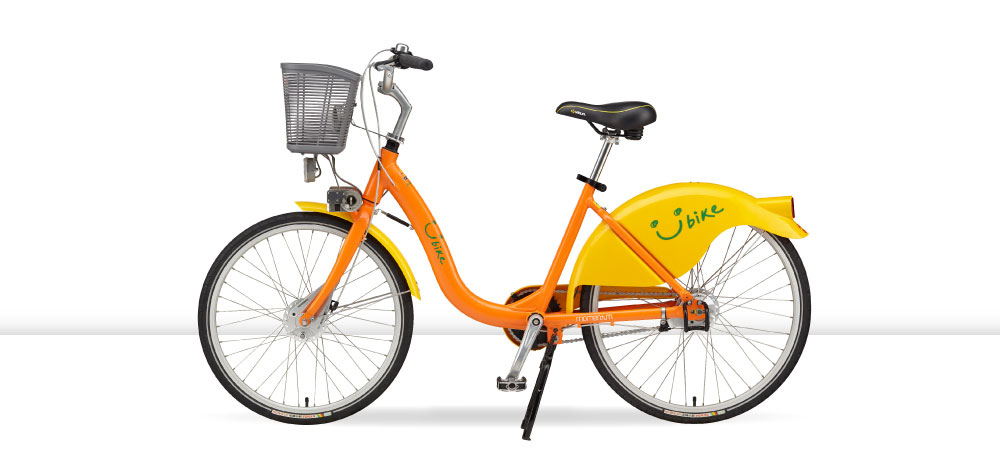

U-bike Rent
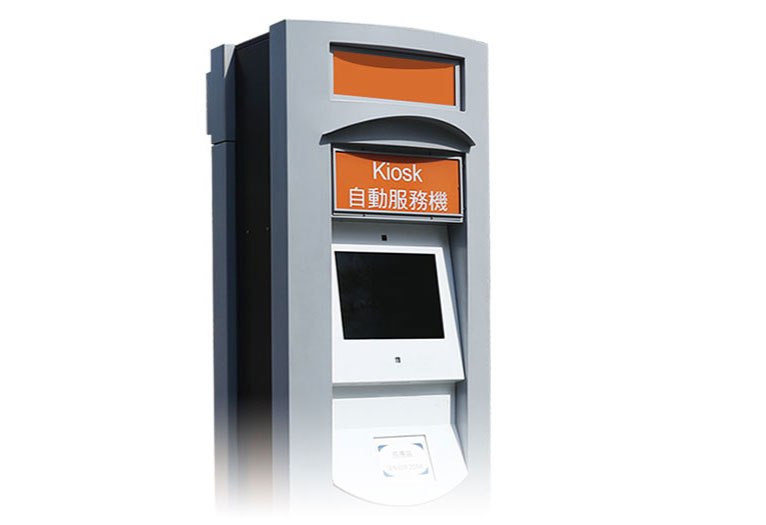
Kiosk Automated Servers
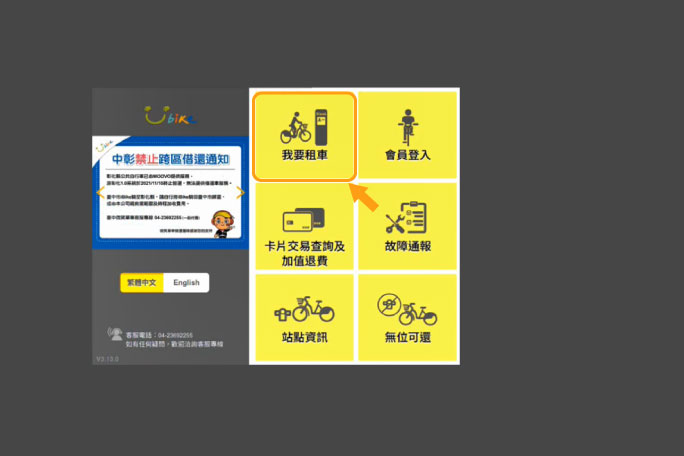
Using Kiosk Automated Servers
press”我要租車”
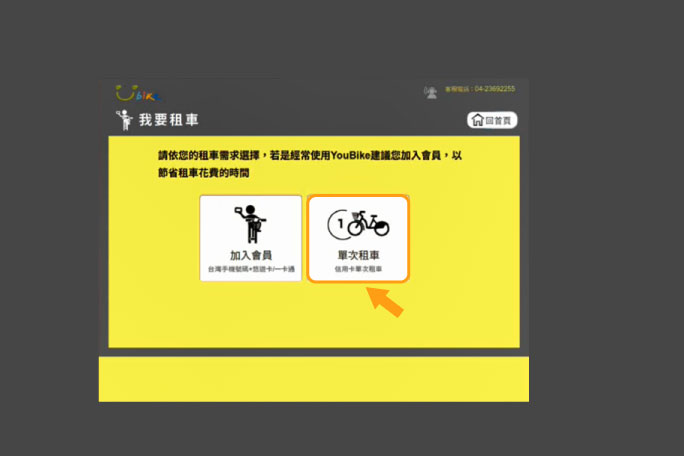
Then press “單次租車”
Step by step for credit card binding
And read the instructions for borrowing and returning the car
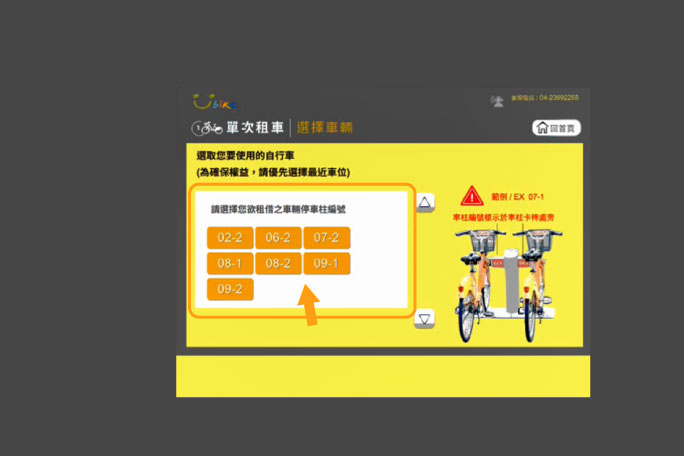
select vehicle
(Please click to rent a car
the parking column number)
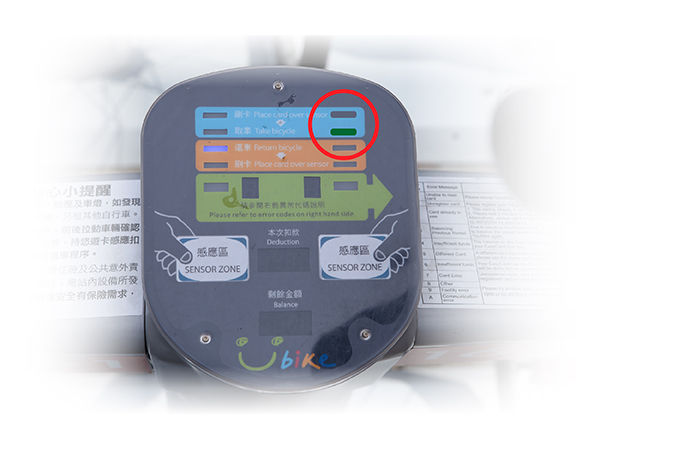
“green light”
start blinking and beeping
ready to pick up
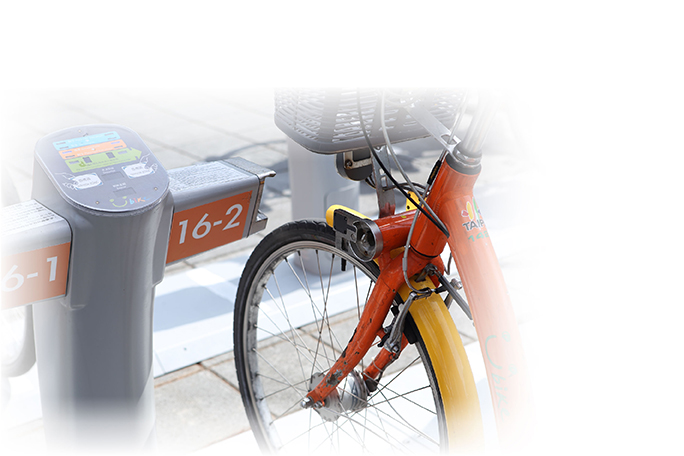
hold the handle with both hands
Pull back to take the car
U-bike Return
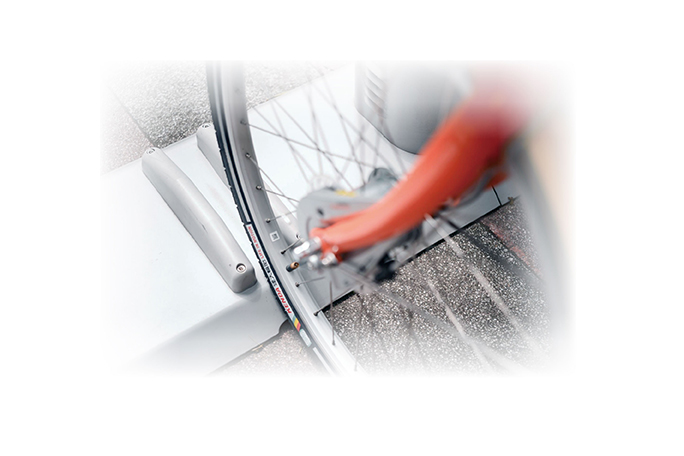
Empty car column to blue light
Wheel alignment guide groove
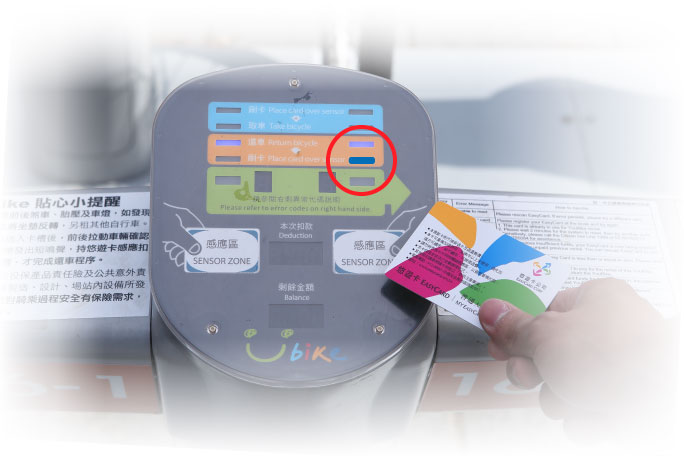
Insert the lock into the slot
Confirm “Blinking blue light” and
The bike can no longer be pulled out to complete the lock
After flashing blue light and short beep
If the light goes back to green, it means the car is returned.
YouBike 2.0
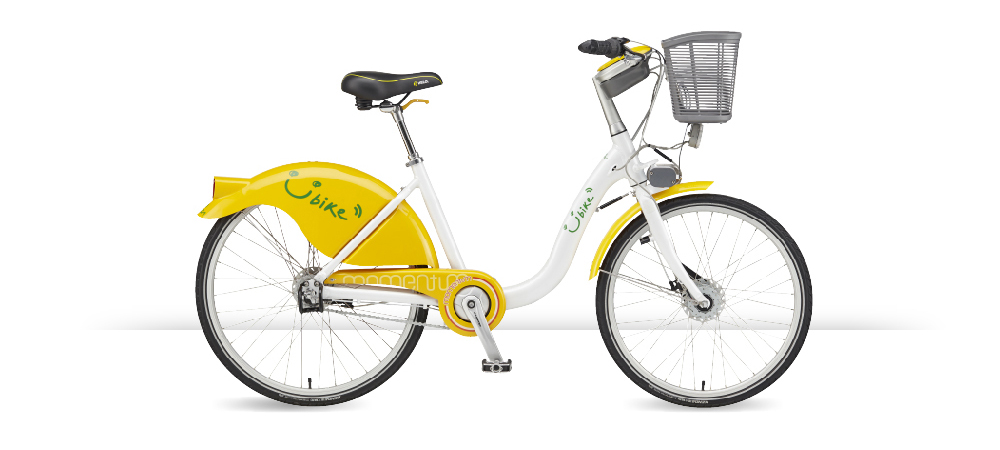
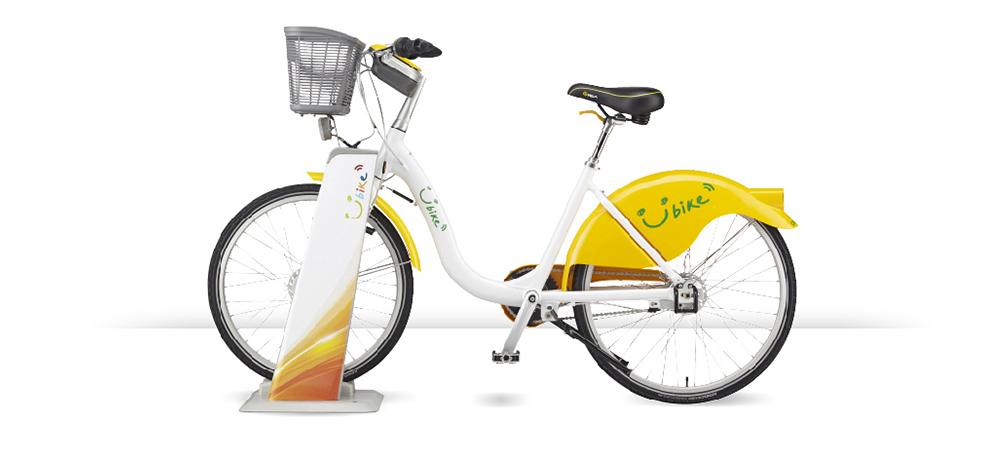
U-bike Rent(1.Android:YouBike2.0APP download
2.IOS:YouBike2.0APP download)
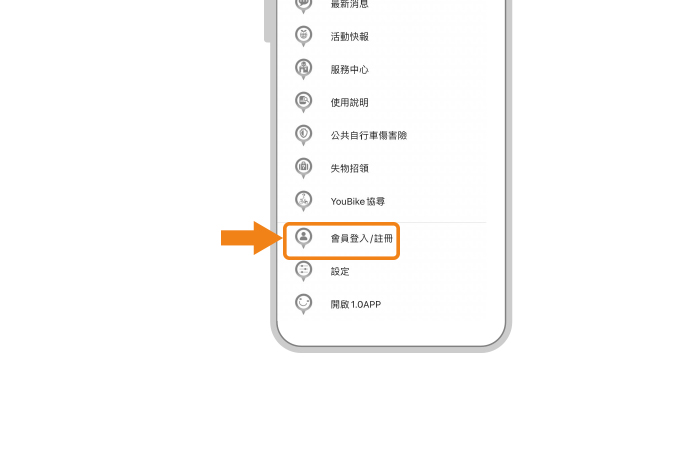
Using the YouBike 2.0 App
Open side menu
Click “會員登入/註冊”
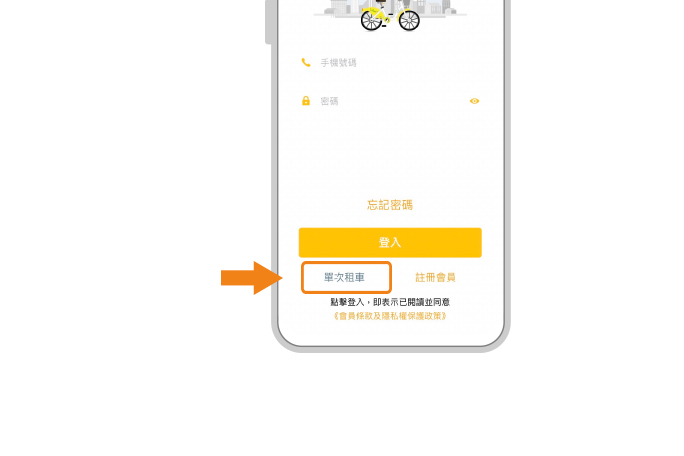
Click “單次租車” at the bottom of the screen
And follow the steps to bind the credit card
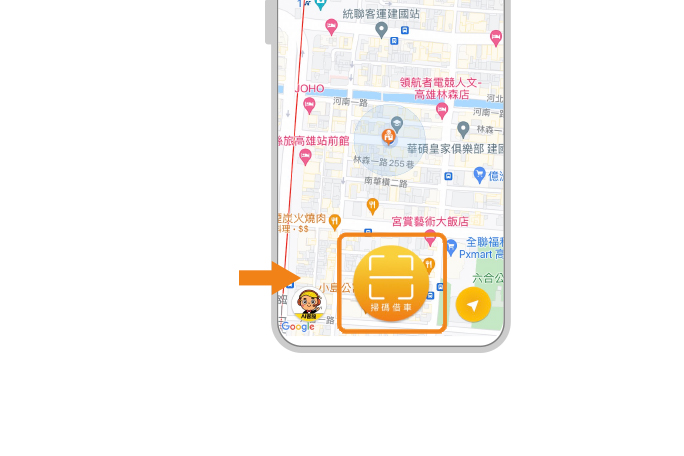
Complete the binding and return to the main screen
Click “Scan the code to borrow a car” below
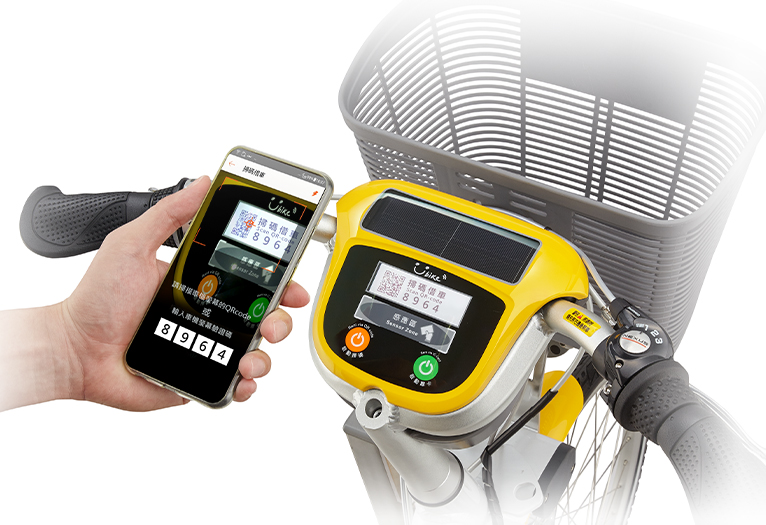
Aim at the car screen,
Scan QR code or enter verification code
Unlock (if the code cannot be scanned in strong light,
Enter the verification code to unlock)
screen display
“請取車本車請還於 2.0 停車柱”
hold the handle with both hands
Pull back to take the car
U-bike Return
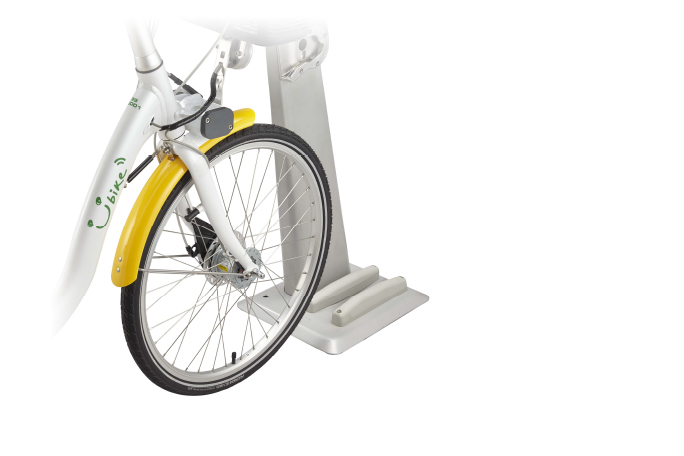
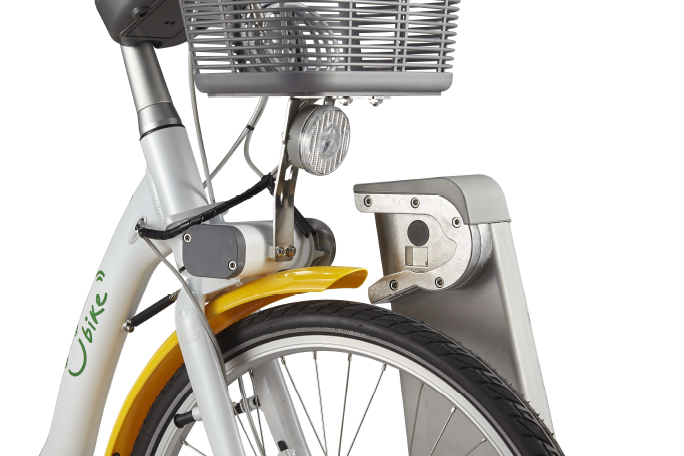
Wheel alignment guide groove
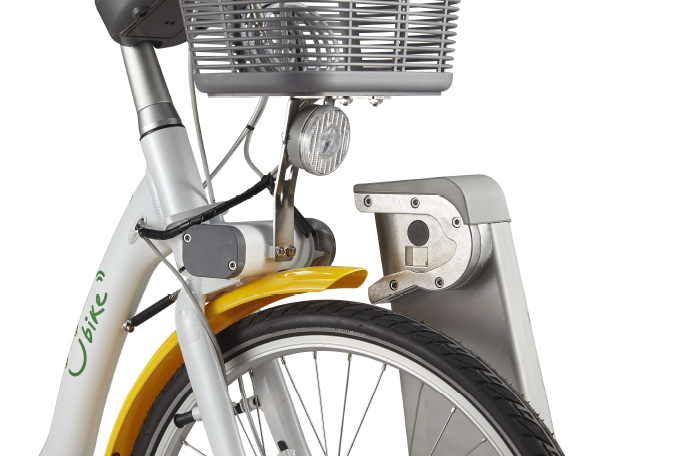
Insert the lock into the slot
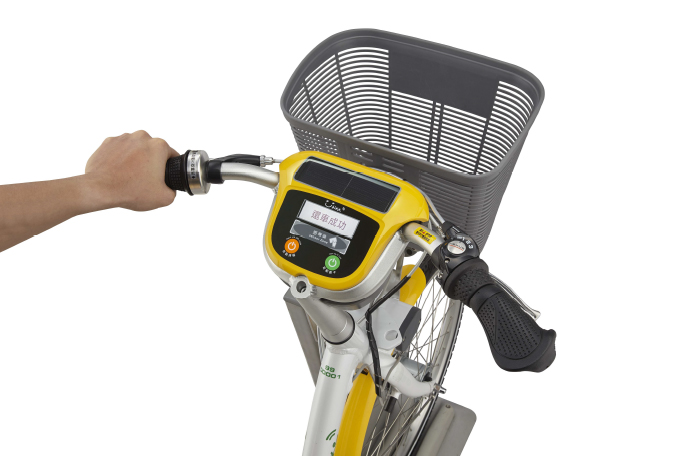
The screen shows “還車成功”
i.e. complete
YouBike 2.0E
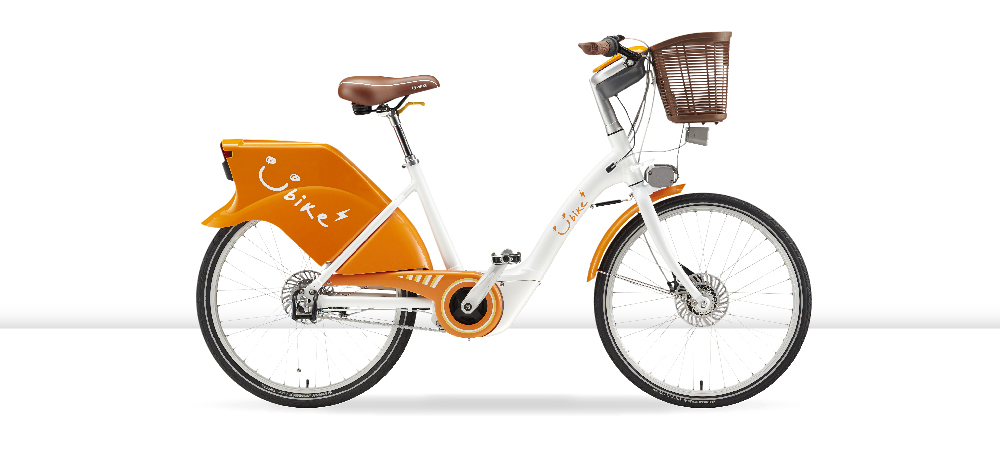
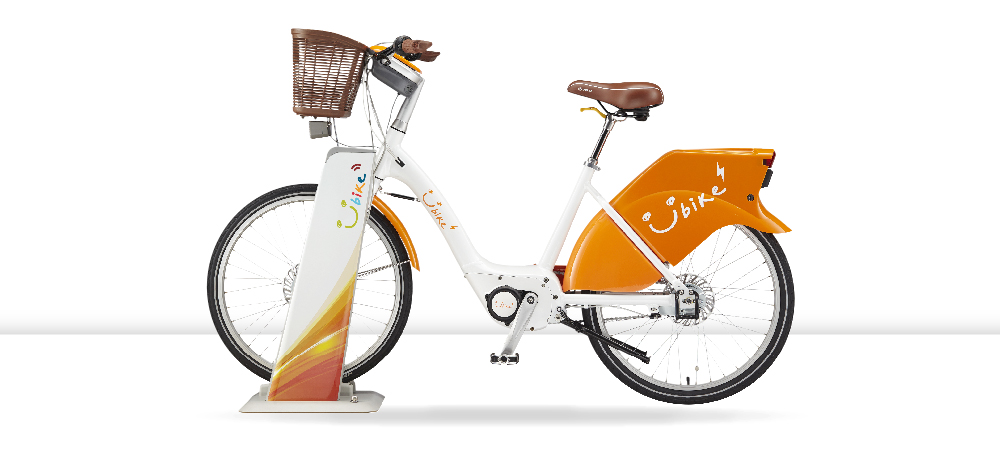
U-bike Rent(1.Android:YouBike2.0APP download
2.IOS:YouBike2.0APP downloa
Using the YouBike 2.0 App
Open side menu
Click “會員登入/註冊”
Click “單次租車” at the bottom of the screen
And follow the steps to bind the credit card
Complete the binding and return to the main screen
Click “Scan the code to borrow a car” below
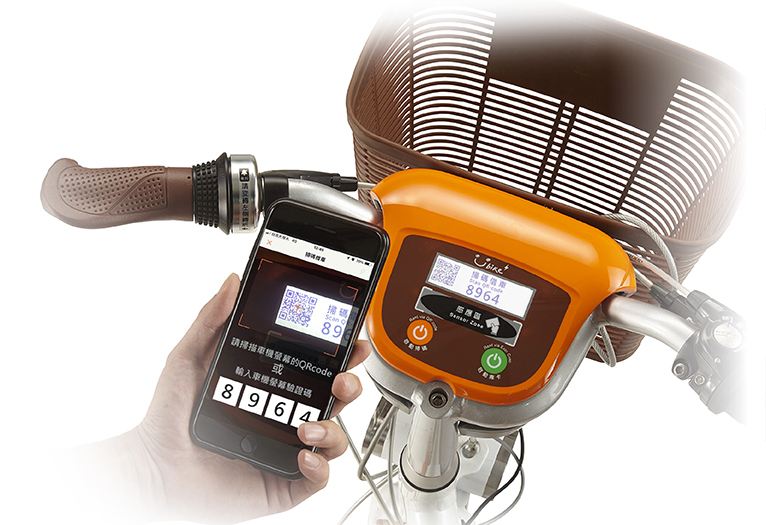
Aim at the car screen,
Scan QR code or enter verification code
Unlock (if the code cannot be scanned in strong light,
Enter the verification code to unlock)
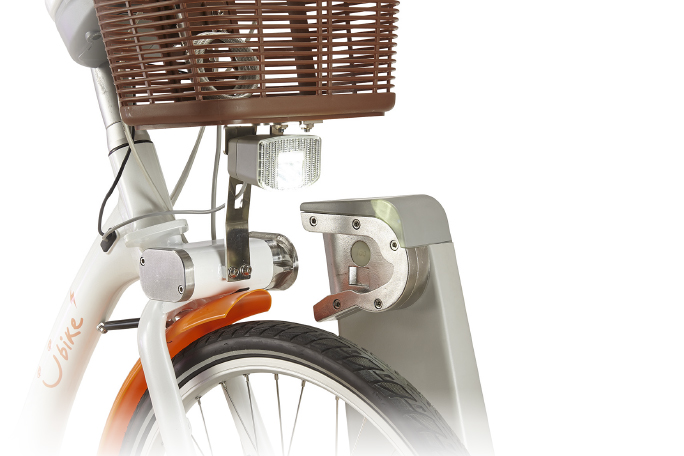
screen display
“請取車本車請還於 2.0 停車柱”
hold the handle with both hands
Pull back to take the car
U-bike Return
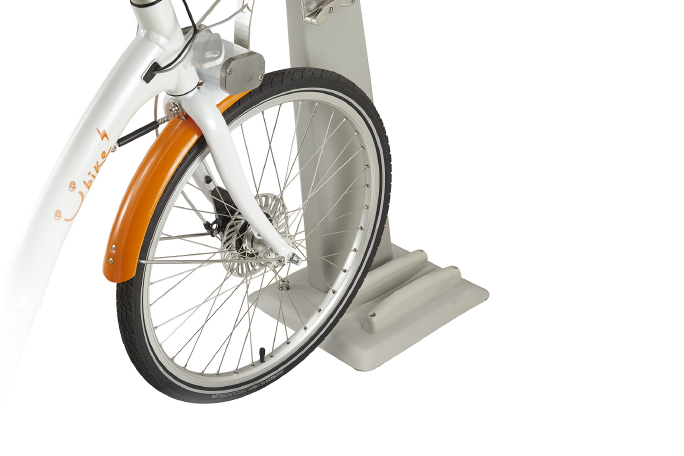
Wheel alignment guide groove
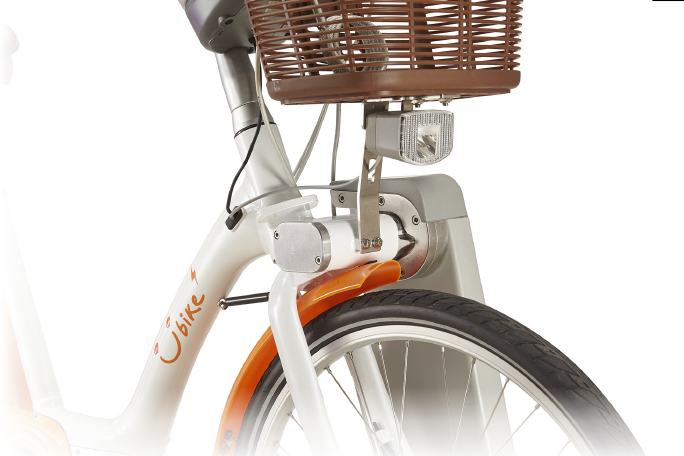
Insert the lock into the slot
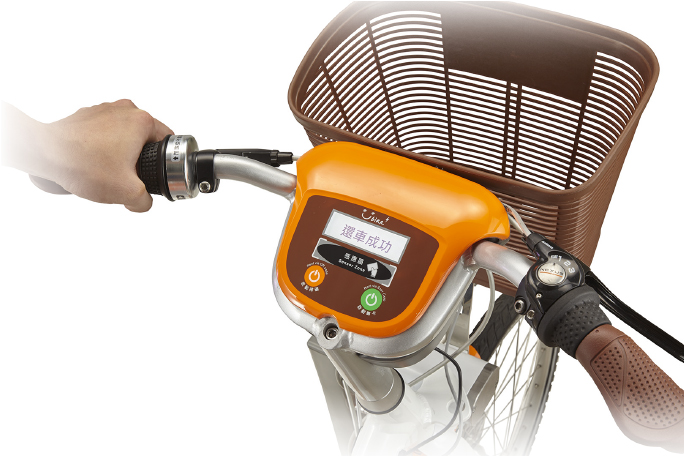
The screen shows “還車成功”
i.e. complete